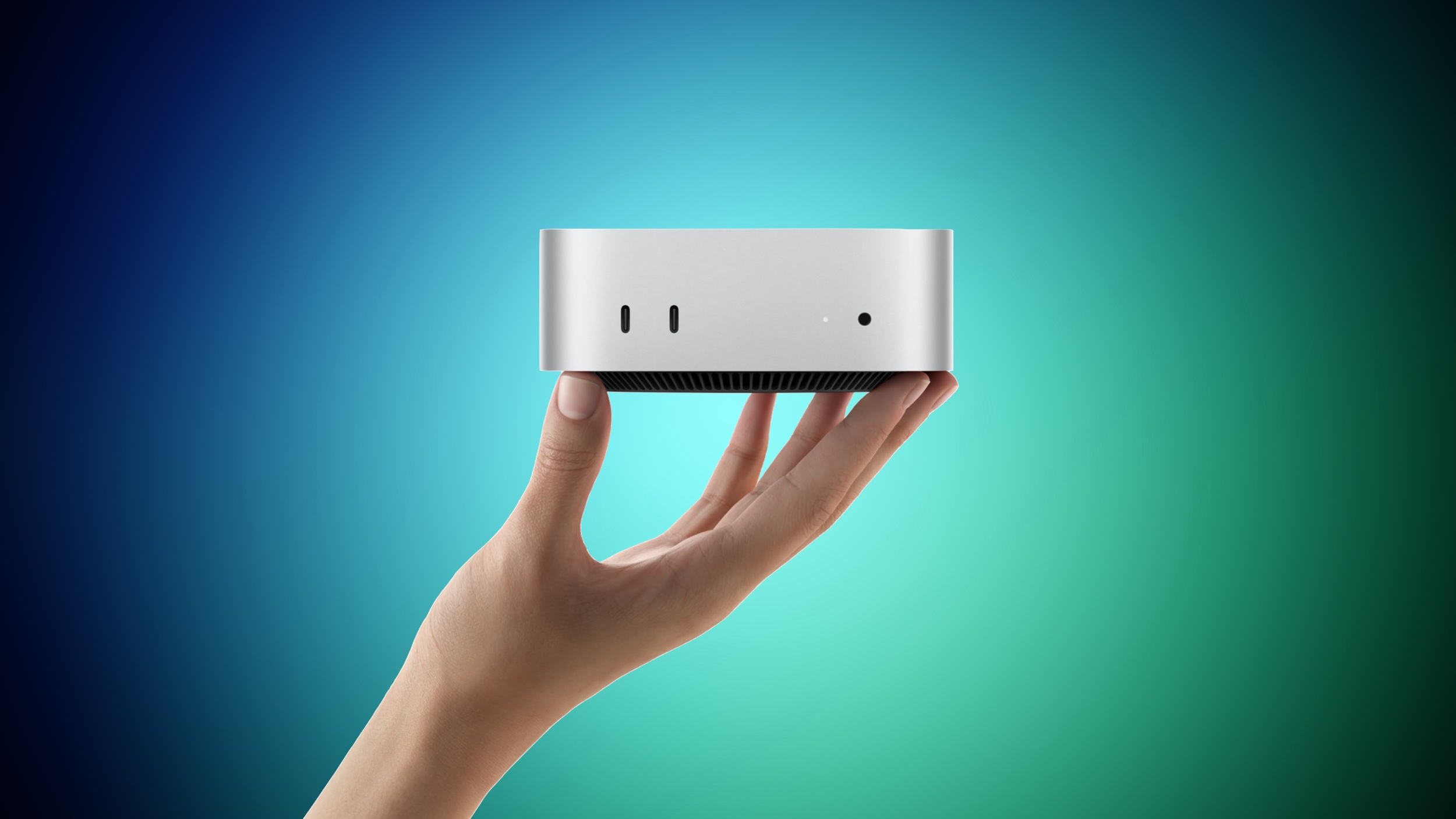
Apple last week announced two new Mac mini models, one with the all-new M6 chip and one with the M5 Pro chip that debuted in the MacBook Pro earlier this year. Somewhat like the MacBook Pro last year, Apple has again placed its newest silicon in the entry-level machine and a previous-generation Pro chip in the high-end machine, so the more expensive Mac mini is not simply a faster version of the cheaper one. The M6 model starts at $899 with a 12-core CPU, 16GB of unified memory, and 256GB of storage. The M5 Pro model starts at $1,699 with a 15-core CPU, 24GB of memory, and 512GB of storage, and it can be configured with up to an 18-core CPU and a 20-core GPU. highest starting prices Apple has ever set for the Mac mini, which makes the $800 gap between the two models more consequential than in previous generations. Our guide helps to answer the question of how to decide which of these two Mac mini models is best for you. available to pre-order now and launch on Tuesday, September 22. The two machines are physically identical and share the majority of their hardware. The shared features include: The same 5.0 by 5.0 inch aluminum enclosure in silver, unchanged since 2024 Neural Accelerators in every GPU core, a first for the Mac mini Wi-Fi 7 and Bluetooth 6 via the N1 chip, another first for the Mac mini 2.5Gb Ethernet as standard, with a 10Gb Ethernet configuration option Two front USB-C ports and a headphone jack with high-impedance headphone support An HDMI port and native support for up to three external displays Genlock over USB-C for synchronizing a display with a camera such as the iPhone 17 Pro macOS 27 with Apple Intelligence and Siri AI Everything that differs between the two models is set out below: Mac mini (M6) Mac mini (M5 Pro) M6 chip M5 Pro chip Built with TSMC's 2nm (N2) process Built with TSMC's 3nm (N3P) process 12-core CPU 15-core or 18-core CPU Two super cores, four performance cores, and six efficiency cores Up to six super cores and 12 performance cores World's fastest single-threaded performance, according to Apple 12-core GPU 16-core or 20-core GPU Updated shader core architecture, Dynamic Caching, and hardware-accelerated ray tracing, with 50% higher geometry rates Enhanced shader core with third-generation ray tracing Dual 16-core Neural Engine, with up to 2x the peak compute of previous generations 16-core Neural Engine Up to 170GB/s memory bandwidth 307GB/s memory bandwidth 16GB, 24GB, or 32GB of unified memory 24GB, 48GB, or 64GB of unified memory 256GB, 512GB, 1TB, or 2TB of storage 512GB, 1TB, 2TB, 4TB, or 8TB of storage Three Thunderbolt 4 ports Three Thunderbolt 5 ports Clustering of multiple Mac mini systems over Thunderbolt 5 1.5 pounds (0.67 kg) 1.6 pounds (0.73 kg) Starts at $899 Starts at $1,699 For the majority of buyers, the M6 model is the right choice, and not only because it is $800 cheaper. It is the newer chip, built on a 2nm process, and Apple says it contains the world's fastest CPU core. It is also the only Mac mini with the Dual 16-core Neural Engine, which Apple says delivers up to twice the peak compute of the single Neural Engine used in the M5 Pro. If your workload is dominated by everyday productivity, web work, photo editing, coding, or light on-device AI, the M6 should feel marginally faster in day-to-day use, especially for single-core tasks, and be more future-proof. Buying the more expensive machine means accepting older silicon in exchange for a broader performance. What the M5 Pro provides is scale rather than speed per core: up to 18 CPU cores against 12, up to 20 GPU cores against 12, and 307GB/s of memory bandwidth against 170GB/s. Those advantages only really surface in sustained, heavily parallel work such as video rendering, 3D and VFX production, compilation of large codebases, and scientific simulation. The memory ceiling is the clearest dividing line. The M6 model tops out at 32GB of unified memory, while the M5 Pro reaches 64GB. If you intend to run local large language models, work with complex 3D scenes, or keep sizeable datasets resident in memory, the M6 configuration simply cannot be specified high enough, no matter how much you spend on it. Storage works the same way, with the M6 limited to 2TB and the M5 Pro extending to 8TB. Thunderbolt is the other hard limit. The M5 Pro model has three Thunderbolt 5 ports, double the bandwidth of the Thunderbolt 4 ports on the M6 model, and Thunderbolt 5 is what allows several Mac mini systems to be clustered together to run large AI models entirely on device. This is significant for users building a small local compute setup, or attaching high-speed external storage arrays for video work. A note of caution applies to configuring the cheaper machine upward. Adding 32GB of memory and 2TB of storage to the M6 model pushes it well past its $899 starting price and narrows the gap to the M5 Pro considerably. At that point, the M5 Pro entry configuration becomes a more sensible purchase for anyone doing professional work, since the extra outlay buys substantially more CPU and GPU capacity, faster memory, and Thunderbolt 5 rather than just more of the same. no plans for an M6 Pro chip, so the M5 Pro will remain the highest-end Mac mini option until the M7 family arrives in 2027. Buyers who want the newest Apple silicon in the smallest desktop Apple sells can only get it by choosing the $899 machine. Related Roundup: Mac mini Buyer's Guide: Mac Mini (Buy Now) Related Forum: Mac mini This article, "M6 vs. M5 Pro Mac Mini Buyer's Guide" first appeared on MacRumors.com Discuss this article in our forums
Apple last week announced two new Mac mini models, one with the all-new M6 chip and one with the M5 Pro chip that debuted in the MacBook Pro earlier this year. Somewhat like the MacBook Pro last year, Apple has again placed its newest silicon in the entry-level machine and a previous-generation Pro chip in the high-end machine, so the more expensive Mac mini is not simply a faster version of the cheaper one. The M6 model starts at $899 with a 12-core CPU, 16GB of unified memory, and 256GB of storage. The M5 Pro model starts at $1,699 with a 15-core CPU, 24GB of memory, and 512GB of storage, and it can be configured with up to an 18-core CPU and a 20-core GPU. Both are the highest starting prices Apple has ever set for the Mac mini , which makes the $800 gap between the two models more consequential than in previous generations. Our guide helps to answer the question of how to decide which of these two Mac mini models is best for you. Both models are available to pre-order now and launch on Tuesday, September 22. The two machines are physically identical and share the majority of their hardware. The shared features include: The same 5.0 by 5.0 inch aluminum enclosure in silver, unchanged since 2024 Neural Accelerators in every GPU core, a first for the Mac mini Wi-Fi 7 and Bluetooth 6 via the N1 chip, another first for the Mac mini 2.5Gb Ethernet as standard, with a 10Gb Ethernet configuration option Two front USB-C ports and a headphone jack with high-impedance headphone support An HDMI port and native support for up to three external displays Genlock over USB-C for synchronizing a display with a camera such as the iPhone 17 Pro macOS 27 with Apple Intelligence and Siri AI Everything that differs between the two models is set out below: Mac mini (M6) Mac mini (M5 Pro) M6 chip M5 Pro chip Built with TSMC's 2nm (N2) process Built with TSMC's 3nm (N3P) process 12-core CPU 15-core or 18-core CPU Two super cores, four performance cores, and six efficiency cores Up to six super cores and 12 performance cores World's fastest single-threaded performance, according to Apple 12-core GPU 16-core or 20-core GPU Updated shader core architecture, Dynamic Caching, and hardware-accelerated ray tracing, with 50% higher geometry rates Enhanced shader core with third-generation ray tracing Dual 16-core Neural Engine, with up to 2x the peak compute of previous generations 16-core Neural Engine Up to 170GB/s memory bandwidth 307GB/s memory bandwidth 16GB, 24GB, or 32GB of unified memory 24GB, 48GB, or 64GB of unified memory 256GB, 512GB, 1TB, or 2TB of storage 512GB, 1TB, 2TB, 4TB, or 8TB of storage Three Thunderbolt 4 ports Three Thunderbolt 5 ports Clustering of multiple Mac mini systems over Thunderbolt 5 1.5 pounds (0.67 kg) 1.6 pounds (0.73 kg) Starts at $899 Starts at $1,699 For the majority of buyers, the M6 model is the right choice, and not only because it is $800 cheaper. It is the newer chip, built on a 2nm process, and Apple says it contains the world's fastest CPU core. It is also the only Mac mini with the Dual 16-core Neural Engine, which Apple says delivers up to twice the peak compute of the single Neural Engine used in the M5 Pro. If your workload is dominated by everyday productivity, web work, photo editing, coding, or light on-device AI, the M6 should feel marginally faster in day-to-day use, especially for single-core tasks, and be more future-proof. Buying the more expensive machine means accepting older silicon in exchange for a broader performance. What the M5 Pro provides is scale rather than speed per core: up to 18 CPU cores against 12, up to 20 GPU cores against 12, and 307GB/s of memory bandwidth against 170GB/s. Those advantages only really surface in sustained, heavily parallel work such as video rendering, 3D and VFX production, compilation of large codebases, and scientific simulation. The memory ceiling is the clearest dividing line. The M6 model tops out at 32GB of unified memory, while the M5 Pro reaches 64GB. If you intend to run local large language models, work with complex 3D scenes, or keep sizeable datasets resident in memory, the M6 configuration simply cannot be specified high enough, no matter how much you spend on it. Storage works the same way, with the M6 limited to 2TB and the M5 Pro extending to 8TB. Thunderbolt is the other hard limit. The M5 Pro model has three Thunderbolt 5 ports, double the bandwidth of the Thunderbolt 4 ports on the M6 model, and Thunderbolt 5 is what allows several Mac mini systems to be clustered together to run large AI models entirely on device. This is significant for users building a small local compute setup, or attaching high-speed external storage arrays for video work. A note of caution applies to configuring the cheaper machine upward. Adding 32GB of memory and 2TB of storage to the M6 model pushes it well past its $899 starting price and narrows the gap to the M5 Pro considerably. At that point, the M5 Pro entry configuration becomes a more sensible purchase for anyone doing professional work, since the extra outlay buys substantially more CPU and GPU capacity, faster memory, and Thunderbolt 5 rather than just more of the same. One final consideration is longevity. Apple reportedly has no plans for an M6 Pro chip, so the M5 Pro will remain the highest-end Mac mini option until the M7 family arrives in 2027. Buyers who want the newest Apple silicon in the smallest desktop Apple sells can only get it by choosing the $899 machine.Related Roundup: Mac mini Buyer's Guide: Mac Mini (Buy Now) Related Forum: Mac mini This article, "M6 vs. M5 Pro Mac Mini Buyer's Guide" first appeared on MacRumors.com Discuss this article in our forums